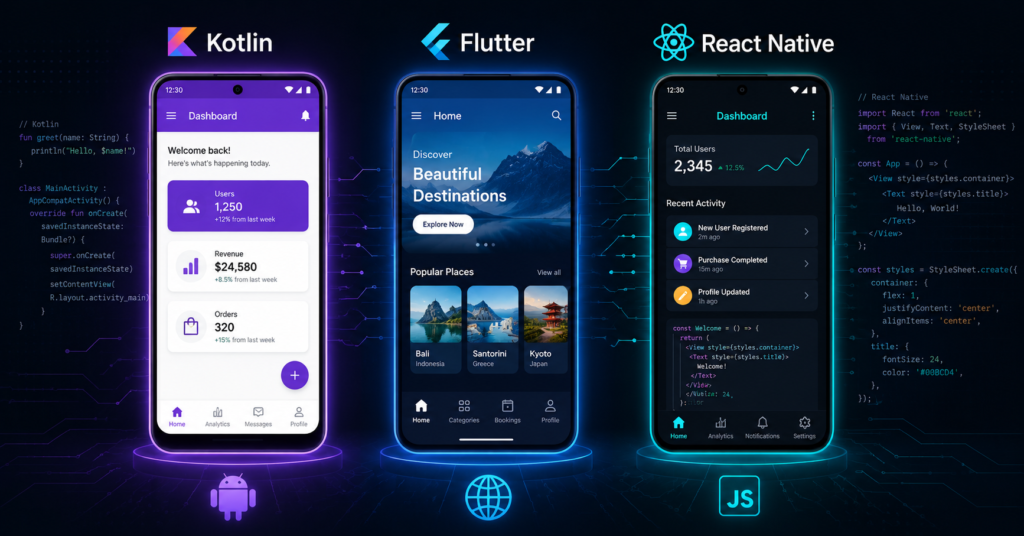
If you are planning to build an Android app for your business, one of the first technical decisions you will face is also one of the most consequential: which technology should you actually build it with? Kotlin, Flutter, and React Native are the three most widely used options in the Australian market right now and each one suits a different type of project, budget, and long-term goal.
The challenge is that most comparisons you will find online are either written by developers with a strong personal preference for one framework, or so technical that they leave business owners more confused than when they started. This guide is different. It is written for Australian businesses not developers and focuses on what actually matters when you are commissioning an app rather than building one yourself.
Why This Decision Matters More Than Most Business Owners Realise
The technology your Android app is built on affects far more than the development process. It directly influences how fast your app performs, how easily it can be maintained and updated, how well it integrates with Android’s native features, how much it costs to scale, and how straightforward it is to find experienced developers to work on it in the future.
Choosing the wrong framework does not necessarily mean a failed app but it can mean rebuilding sooner than expected, paying more for ongoing development, or finding yourself limited by technical constraints that only become apparent after launch. Getting this decision right from the start is one of the highest-leverage calls you will make in the entire development process.
Option 1: Kotlin — The Native Android Choice
Kotlin is Google’s officially recommended programming language for Android development. It replaced Java as the primary language for native Android apps in 2019, and today it is the default choice for any serious native Android development project worldwide.
When developers talk about “native Android development,” they almost always mean Kotlin. Building natively means your app is written specifically for Android, using Android’s own APIs, design system (Material Design 3), and built-in capabilities — without any abstraction layer between your code and the operating system.
What makes Kotlin the strongest choice:
Performance is the most obvious advantage. Native apps written in Kotlin run directly on the Android operating system without any translation layer, which means they load faster, consume battery more efficiently, and handle animations and interactions more smoothly than cross-platform alternatives. For apps where performance is a genuine competitive differentiator — fintech applications, real-time tracking, health and fitness platforms, or any app where users will notice lag — this matters enormously.
Kotlin also gives developers complete access to every Android feature and API the moment Google releases it. When Android introduces a new capability — a new sensor type, a new security feature, an updated notification system — Kotlin developers can use it immediately. Cross-platform frameworks typically lag behind by weeks or months while their teams update the abstraction layer to support the new capability.
For android application development services targeting businesses that need the full depth of what Android offers — background processing, Bluetooth integration, camera access, biometric authentication, or complex device management — Kotlin is the framework that delivers without compromise.
The Jetpack Compose UI toolkit, built specifically for Kotlin, has also dramatically improved the development speed of native Android apps in recent years. Developers can now build sophisticated, modern interfaces faster than was previously possible with the older View-based system, which narrows the development speed gap between native and cross-platform approaches considerably.
Where Kotlin has limitations:
Kotlin only runs on Android. If you need the same app to run on iOS as well, Kotlin will not help you — you would need a completely separate Swift or SwiftUI codebase for Apple devices. For businesses that need both platforms, this means two separate development efforts, two codebases to maintain, and typically a higher overall development investment.
Best suited for:
- Apps that need maximum performance and full access to Android’s native capabilities
- Businesses building Android-only products or where Android is the clear primary platform
- Apps with complex hardware integrations, background processing, or real-time data requirements
- Long-term products where the quality of the technical foundation matters significantly
Option 2: Flutter — Google’s Cross-Platform Framework
Flutter is Google’s own cross-platform framework, first released in 2018 and now one of the most widely used cross-platform tools in the world. Unlike Kotlin, Flutter allows developers to write a single codebase that runs on Android, iOS, web, desktop, and even embedded devices — making it a genuinely versatile option for businesses that need to reach multiple platforms.
Flutter uses a programming language called Dart, developed by Google, and renders its own UI components rather than using the native UI components of the operating system. This means Flutter apps look consistent across Android and iOS — which is a strength in some contexts and a limitation in others.
What makes Flutter a strong choice:
Flutter’s biggest appeal is the ability to maintain a single codebase across multiple platforms. For a business that needs both an Android and iOS app, Flutter can significantly reduce development time and cost compared to building two separate native apps. Updates and new features only need to be written once, which also reduces ongoing maintenance effort.
Flutter’s performance is genuinely impressive compared to other cross-platform options. Because it renders its own graphics engine rather than relying on native UI components, it avoids some of the performance bottlenecks that affect other cross-platform frameworks. Most Flutter apps feel fast and smooth in everyday use, though they still fall slightly short of true native performance in edge cases involving complex animations or hardware-intensive operations.
The development experience is also considered a strength — Flutter’s hot reload feature allows developers to see code changes reflected in the running app almost instantly, which speeds up the iteration cycle considerably.
Where Flutter has limitations:
The app size is larger than comparable native apps because Flutter bundles its own rendering engine. For users in markets where storage space is a concern, this can be a practical issue.
Because Flutter renders its own UI rather than using Android’s native components, Flutter apps can sometimes feel subtly different from truly native Android experiences. Users who are deeply familiar with Android’s design patterns may notice that something feels slightly off, even if they cannot articulate why.
Dart is not as widely used or as deeply understood as Kotlin or JavaScript, which means the pool of experienced Flutter developers is smaller — something worth considering when thinking about long-term development team continuity.
Best suited for:
- Businesses that need both Android and iOS apps and want to manage a single codebase
- Startups building an MVP across multiple platforms quickly and cost-effectively
- Apps where visual consistency across platforms is a priority
- Projects with moderate performance requirements and a focus on development efficiency
Option 3: React Native — The JavaScript Cross-Platform Option
React Native is Meta’s (formerly Facebook’s) cross-platform framework, built on JavaScript and the React library. It was one of the first cross-platform frameworks to gain significant adoption, and it remains widely used — particularly among development teams that already have strong JavaScript and React expertise.
Like Flutter, React Native allows a single codebase to run on both Android and iOS. Unlike Flutter, React Native uses actual native UI components rather than rendering its own — meaning React Native apps tend to feel more natively consistent with each platform’s design conventions.
What makes React Native a strong choice:
The JavaScript and React ecosystem is enormous. This means there are more developers with React Native experience than almost any other cross-platform framework, which gives businesses more hiring and outsourcing options. It also means a large library of third-party packages and community resources.
For businesses or development teams that already have a React web application, React Native allows significant code reuse between the web and mobile versions, which can reduce overall development effort considerably.
The use of native UI components also means that React Native apps tend to look and feel more natural on each platform than Flutter apps, since they are using the same building blocks as fully native applications.
Where React Native has limitations:
React Native’s performance has historically lagged behind both native Kotlin and Flutter, particularly for animations, complex transitions, and computationally intensive operations. Meta has invested in improving this with a new architecture (Fabric and JSI), but the improvement is still rolling out and not yet consistent across all use cases.
Debugging React Native apps can be more complex than debugging native or Flutter apps, because the JavaScript layer and the native layer need to interact and when issues occur at that boundary, they can be harder to diagnose and fix.
React Native is also dependent on Meta’s continued investment and direction. While it has been stable for several years, some businesses are cautious about building their long-term technical foundation on a framework maintained by a company whose core business has nothing to do with developer tools.
Best suited for:
- Development teams with strong existing JavaScript and React expertise
- Businesses that have a React web app and want to share code with a mobile version
- Apps with moderate complexity and no extreme performance requirements
- Projects where fast time-to-market and access to a large developer pool are priorities
Side-by-Side Comparison
| Factor | Kotlin (Native) | Flutter | React Native |
|---|---|---|---|
| Performance | Excellent | Very good | Good |
| Platform coverage | Android only | Android, iOS, Web, Desktop | Android, iOS |
| Codebase | Single platform | Single codebase | Single codebase |
| UI approach | Native Android components | Custom rendering engine | Native components |
| Development speed | Moderate to fast | Fast | Fast |
| Developer availability | High (Android-focused) | Growing | Very high |
| Best for | Performance-critical Android apps | Multi-platform with visual consistency | JS teams, code sharing with web |
How Australian Businesses Should Think About This Decision
The right framework is almost never the most technically impressive one — it is the one that best fits your specific business situation. Here are the questions that actually matter:
Do you need Android only, or both Android and iOS? If Android only, Kotlin is almost always the right answer. If both platforms, Flutter or React Native become genuinely worth considering — the single codebase advantage is real and significant for businesses managing development costs.
How performance-critical is your app? For apps where users will notice lag, battery drain, or interface jitter — fintech, health, real-time tracking, gaming — native Kotlin is the right investment. For most business productivity, retail, or content apps, Flutter or React Native performance is entirely adequate.
What does your long-term development team look like? If you are building a long-term in-house team, consider where the developer talent pool is strongest and what your existing team knows. If you are working with an external agency for android app development in Australia, ask about their primary expertise and what framework they have delivered the most successful production apps with.
How important is access to the latest Android features? If cutting-edge Android capabilities matter — new hardware support, the latest Material Design updates, Android-specific security features — native Kotlin will always have the advantage. Cross-platform frameworks lag behind native by definition.
What is your budget and timeline? For a constrained budget that requires both platforms, a well-executed Flutter app delivered on time often represents better value than a delayed or under-resourced native build. For a business where the Android app is a core product and quality is non-negotiable, the investment in native development is justified.
What StepSharp Recommends — And Why
At StepSharp, our default recommendation for businesses commissioning Android apps is Kotlin with Jetpack Compose not because it is the most fashionable choice, but because it consistently delivers the best long-term outcomes for apps that matter to a business.
Native development means your app is not dependent on a third-party framework’s update cycle. It means you have access to every Android capability from day one. It means performance is as good as Android allows. And it means that as your app grows and your requirements become more complex, the technical foundation you are building on will support that growth rather than constraining it.
That said, we genuinely recommend Flutter for businesses that need both Android and iOS apps and are working with a realistic budget. Flutter has matured significantly, and a well-built Flutter app with experienced developers is a perfectly sound choice for a large category of business applications.
React Native is a strong option when an existing JavaScript team is involved — but for greenfield projects in Australia where team composition is not already a constraint, we typically find Flutter to be a better cross-platform choice given its performance characteristics and Google’s continued investment in the framework.
The Broader Picture — Beyond the Framework
Choosing between Kotlin, Flutter, and React Native is an important decision — but it is only one part of what makes an Android app successful in the Australian market. Architecture design, security compliance with Australia’s Privacy Act, Google Play Store submission experience, and post-launch support all matter just as much as the initial technology choice.
This is why working with a team that offers Custom Software Solutions in Australia — with genuine experience delivering production apps across multiple frameworks — is more valuable than working with a team that is deeply specialised in one framework regardless of whether it suits your project. The right partner assesses your specific situation and makes a recommendation based on your goals, not their habits.
Final Thoughts
Kotlin, Flutter, and React Native are all capable, well-supported frameworks that have delivered successful apps for Australian businesses. The differences between them are real in performance, platform coverage, development speed, and long-term maintainability but no single framework is universally superior.
Kotlin is the right choice for performance-critical, Android-native applications where quality is the top priority. Flutter is the right choice for businesses that need a consistent, high-quality experience across Android and iOS from a single codebase. React Native is the right choice for JavaScript-first development teams or businesses with existing React web applications to leverage.
Take the time to assess your actual requirements before committing to a direction and work with a development partner who is genuinely experienced across all three options and willing to recommend the one that fits your project, rather than defaulting to whatever they build most often.